Armory: Save, Load and Swap Builds
Five loadout slots, every Armory location and what a loadout saves, all without spending gold.
The Armory at a Glance
The Armory in Diablo 4 stores up to five complete builds per character and lets you swap between them with one click. Each loadout saves your gear, skills, Paragon boards with Glyphs, your class mechanic and your Talisman. Swapping costs no gold, even when your skills and Paragon points are completely different.
| Question | Answer |
|---|---|
| Loadout slots | 5 per character |
| Where? | Every major town such as Temis, plus Tree of Whispers and Dark Citadel |
| Unlock | Available from the start, no quest |
| Cost to swap | No gold |
| Applies to | Only the character you save it on |
Where to Find the Armory
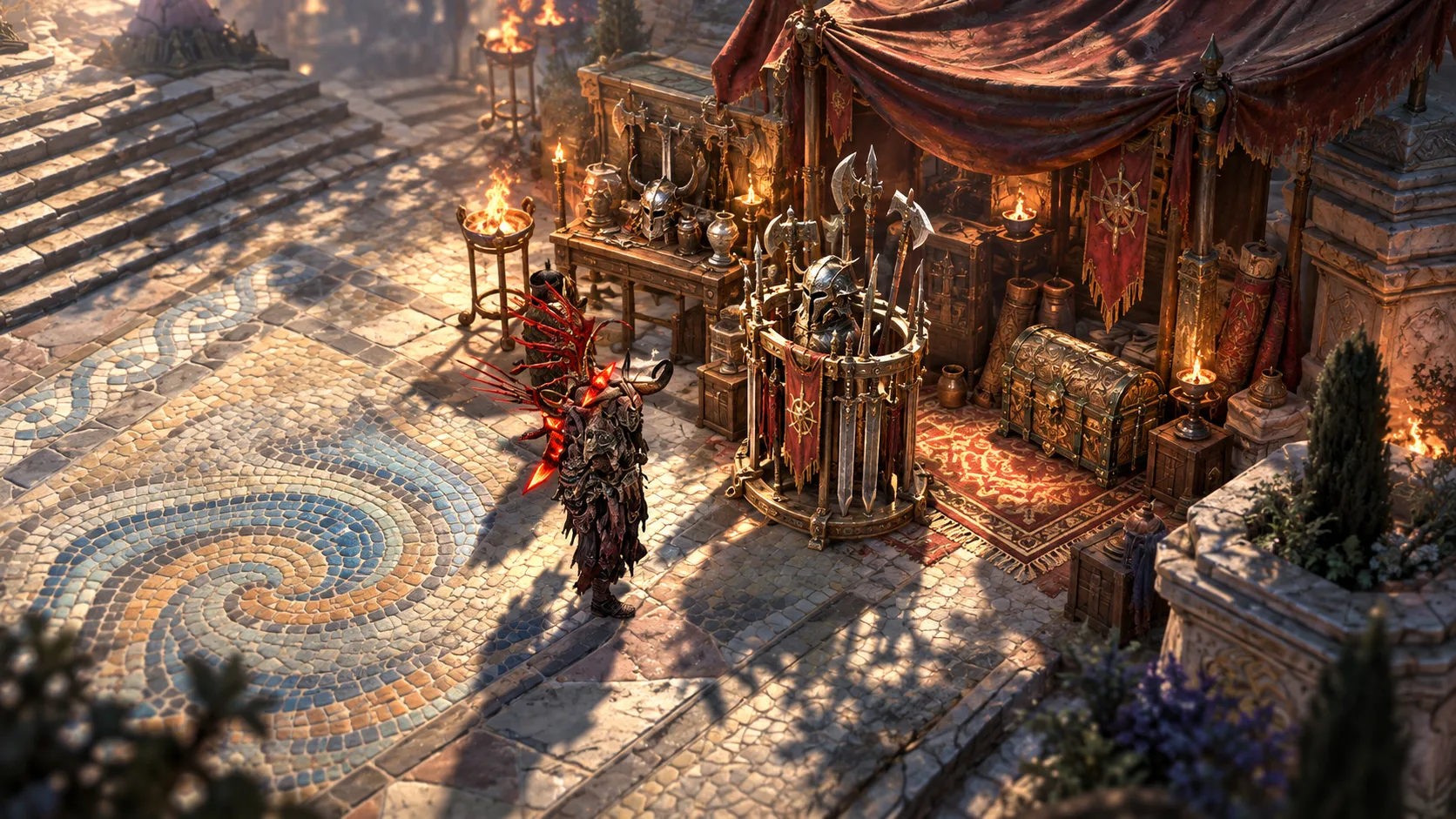
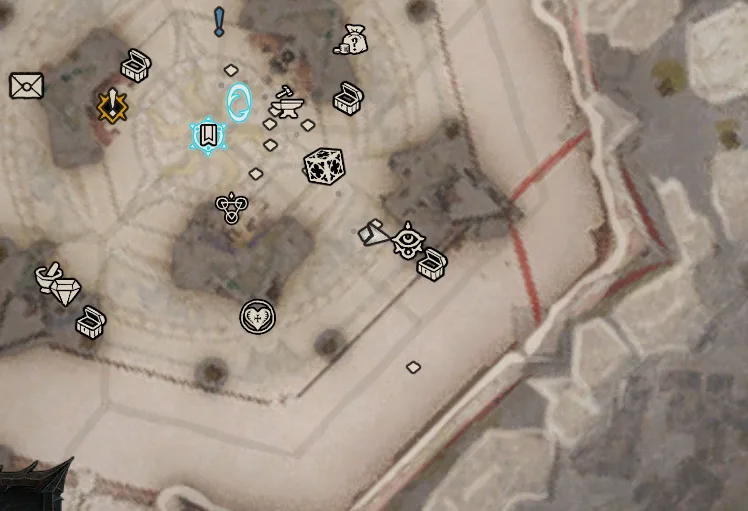
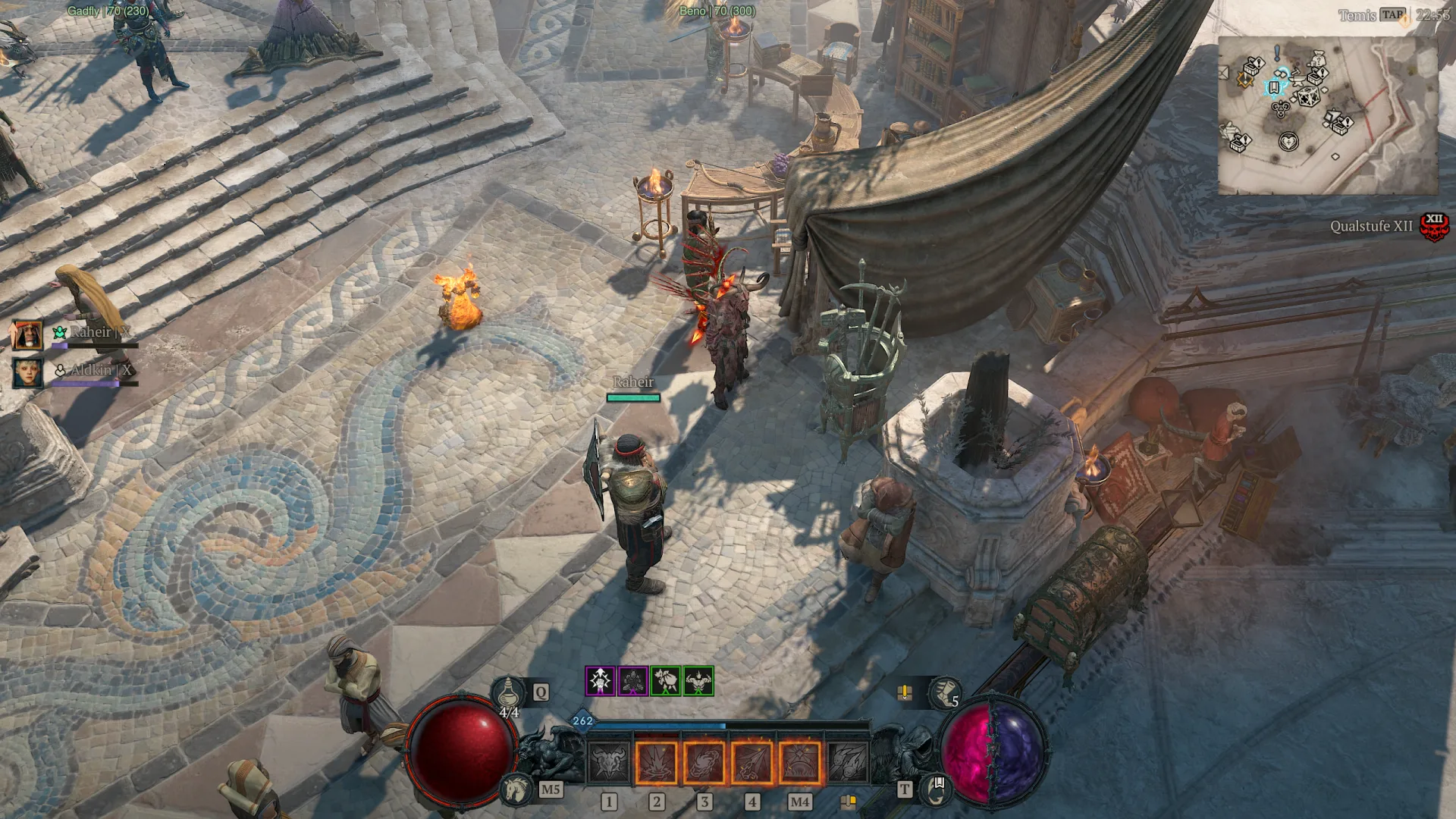
You find the Armory in every major town in Sanctuary, plus the endgame hubs Tree of Whispers and Dark Citadel. For most players Temis in Skovos is the one that matters: since Lord of Hatred it is the endgame hub, so you can swap your build there without leaving town for your next activity.
The map tells you which locations have one: hover over a waypoint and a dedicated Armory icon appears. The same icon shows up on your minimap.
| Location | Region | Note |
|---|---|---|
| Temis | Skovos | Endgame hub since Lord of Hatred |
| Kurast | Nahantu | Main town of Vessel of Hatred |
| Kyovashad | Fractured Peaks | Training Grounds for damage tests |
| Ked Bardu | Dry Steppes | |
| Cerrigar | Scosglen | |
| Gea Kul | Kehjistan | |
| Zarbinzet | Hawezar | |
| Tree of Whispers | Hawezar | Endgame hub |
| Dark Citadel | Nahantu | Endgame hub |
What Does the Armory Save?
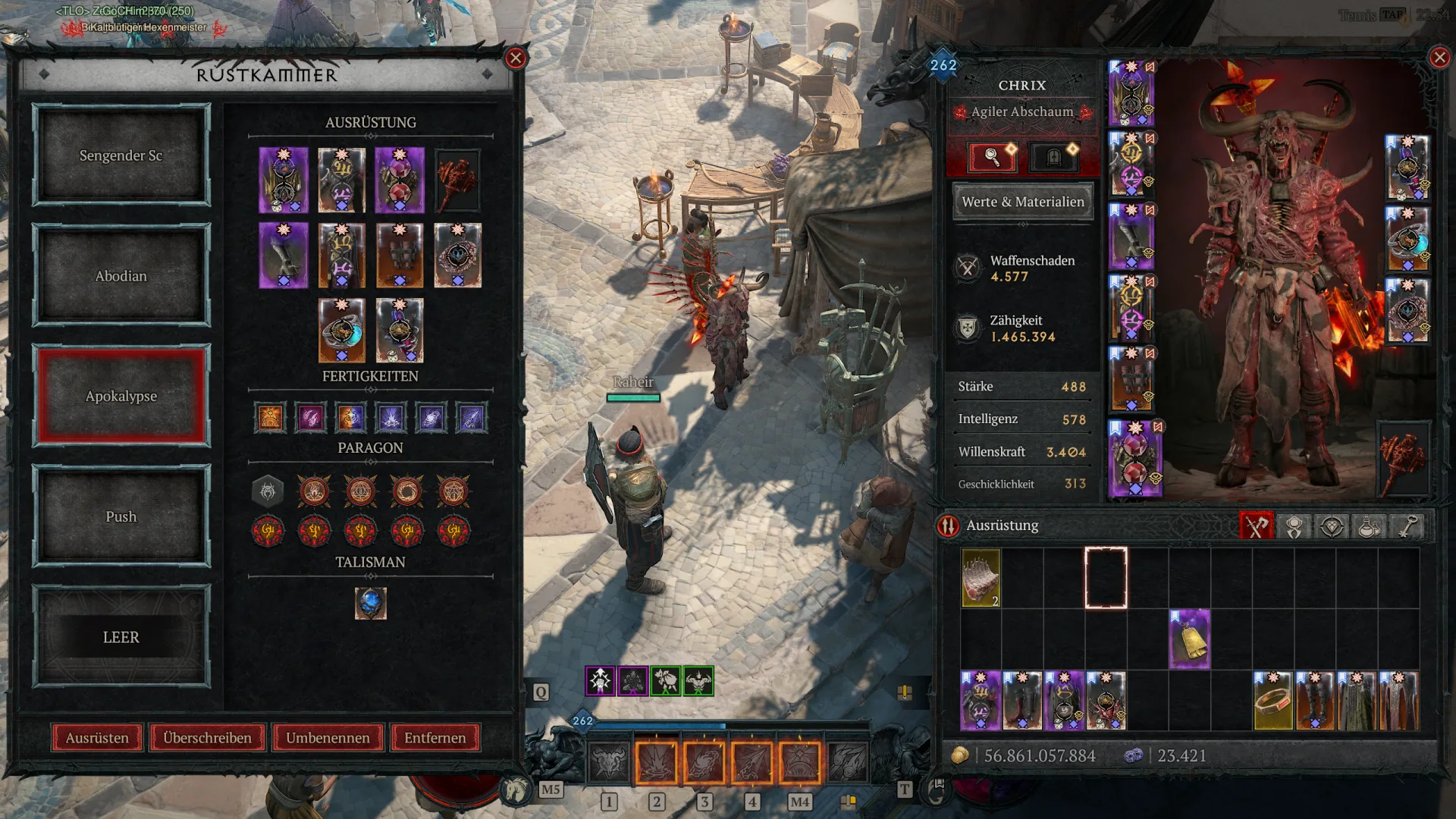
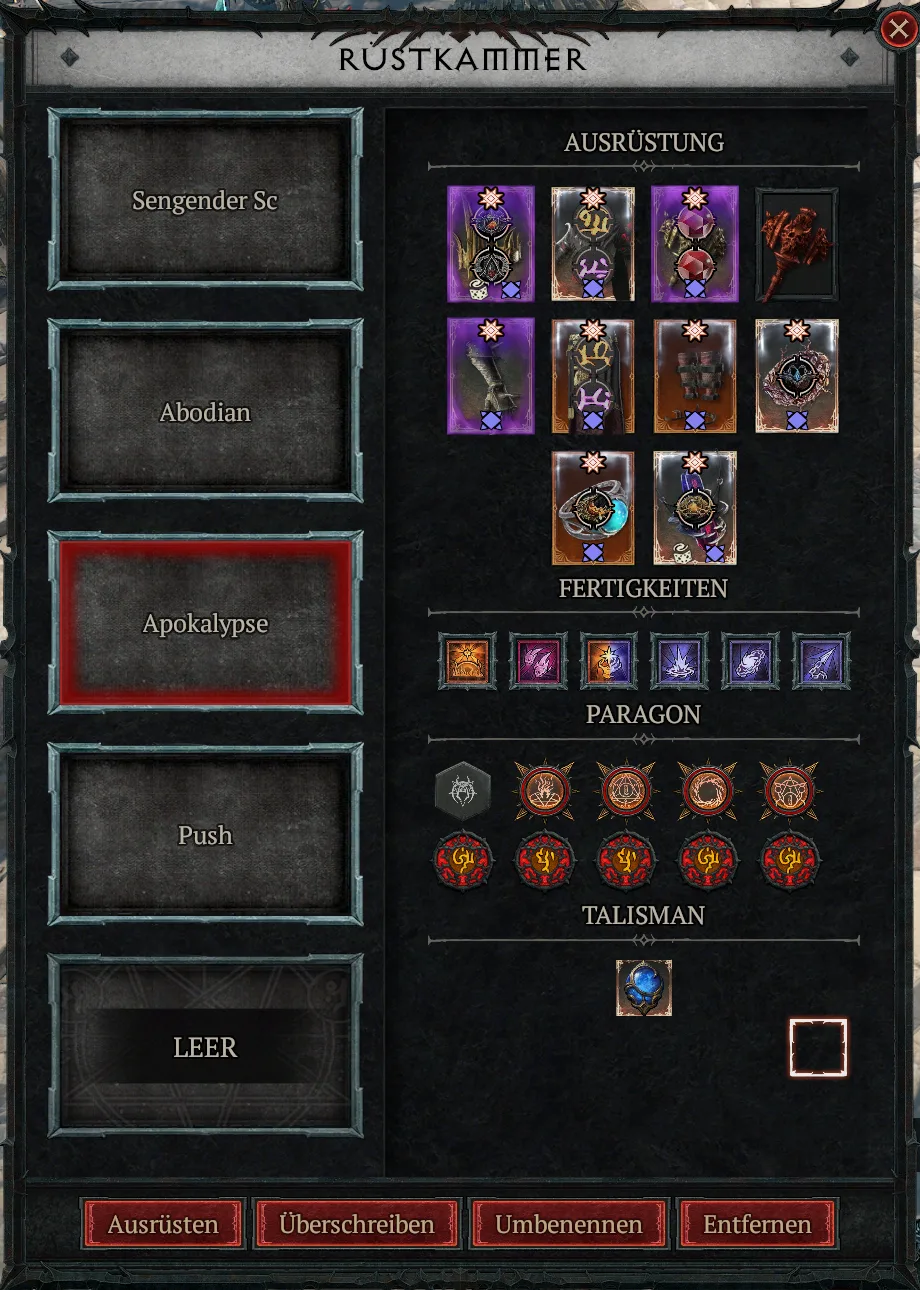
A loadout is a snapshot of your build at the moment you save it. When you load it later, the Armory restores exactly that state. The menu shows four sections: Equipment, Skills, Paragon and Talisman.
| Part of your build | Saved in the loadout |
|---|---|
| Equipped items: weapons, armor, jewelry | Yes |
| Skills | Yes |
| Paragon boards, nodes and Glyphs | Yes |
| Class mechanic, such as Spirit Halls or Spirit Boons | Yes |
| Talisman with Seal and Charms | Yes |
Since Lord of Hatred the Armory saves your Talisman as well. How Seals and Charms work together is covered in the Talisman guide.
Talisman in Diablo 4: Seals, Charms & Set Bonuses Explained
Items, Gems and Tempering
The Armory remembers the actual item, not a copy of it. If you change that item later, for example by tempering it again or swapping a gem, every loadout that uses it gets the new version. Two builds that share the same ring also share its stats.
Items in a loadout get a dedicated icon and are marked as favorites. That keeps you from selling or salvaging them by accident. If an item is missing anyway, the loadout preview flags it with an icon.
How to Save and Load a Build
- Set up your build completely: items, skills, Paragon, Glyphs and Talisman.
- Go to an Armory and open it.
- Pick a slot, empty ones are marked "Empty", and click "Overwrite". This saves your current build to that slot.
- Use "Rename" to give the loadout a name, such as "Pit Push" or "Speedfarm".
- To swap, select another loadout and click "Equip".
| Button | What it does |
|---|---|
| Equip | Loads the selected loadout |
| Overwrite | Saves your current build to the slot |
| Rename | Changes the loadout name |
| Remove | Deletes the loadout |
Armory Costs and Limits
Respeccing skills and Paragon points normally costs gold, and the price goes up with your level. The Armory swaps for free, even between loadouts with completely different Paragon boards. That is what makes it so valuable in the endgame.
Keep these limits in mind:
- Five slots: You cannot have more than five loadouts per character.
- Character bound: Every character has its own slots. A new seasonal character starts with five empty slots.
- Only at the Armory: You can only swap at one of the locations above, not out in a dungeon.
- Items must exist: Sold, traded or salvaged items are missing from the loadout.
- Stash space: If everything is full, the Armory cannot swap your gear.
How to Use Your Five Loadout Slots
Most players set up one build per activity. Keep one slot free for testing, so you can try a new Unique item without losing your main build.
| Slot | Example name | Used for |
|---|---|---|
| 1 | Speedfarm | Helltides, Nightmare Dungeons, materials |
| 2 | Pit Push | High Pit tiers and leveling Glyphs |
| 3 | Bossing | Uber bosses and Lair bosses |
| 4 | Tower | Tower leaderboards |
| 5 | Test slot | New items and ideas |
The tier list shows which builds are worth it for each activity. Plan your loadouts in the build planner first, then you only need to copy them in game and save. For your push build, read the guide to the Pit and all Torment tiers and the right order for leveling Glyphs.
Level Glyphs: Radius, Legendary Level and Upgrade Order
For your Tower slot, the guide to the Tower, its leaderboards and rewards shows what matters in timed runs.
Common Mistakes
- Changing a shared item: Tempering an item again changes it in every loadout that uses it.
- Full Stash: Without free space, the Armory has nowhere to put your old gear.
- Not overwriting: Upgrades you make after saving only end up in the loadout once you save it again with "Overwrite".
- Forgetting your Mercenary: After a swap, check that your Mercenary and seasonal bonuses fit the build.
- No Paragon plan per build: How to set up boards and Glyphs properly is explained in the Paragon system guide.
Armory FAQ
How many builds can I save in the Armory?
Does swapping loadouts in the Armory cost gold?
Is there an Armory in Temis?
Do I need to unlock the Armory?
Is the Armory shared across characters?
What happens if I sell an item from a loadout?
Changelog
Sources
- The 2.1 PTR: What You Need to Know, Blizzard News, accessed October 27, 2026
- Diablo IV Patch Notes (3.0), Blizzard News, accessed October 27, 2026
- Diablo IV Patch Notes (3.1), Blizzard News, accessed October 27, 2026
- Talisman in Diablo 4: Seals, Charms and Set Bonuses Explained, d4guides.gg, accessed October 27, 2026
Comments
Login to comment.