
Rebirth in Diablo 4: How It Works in Season 15
What carries over into the season, what resets and which items you need to secure first
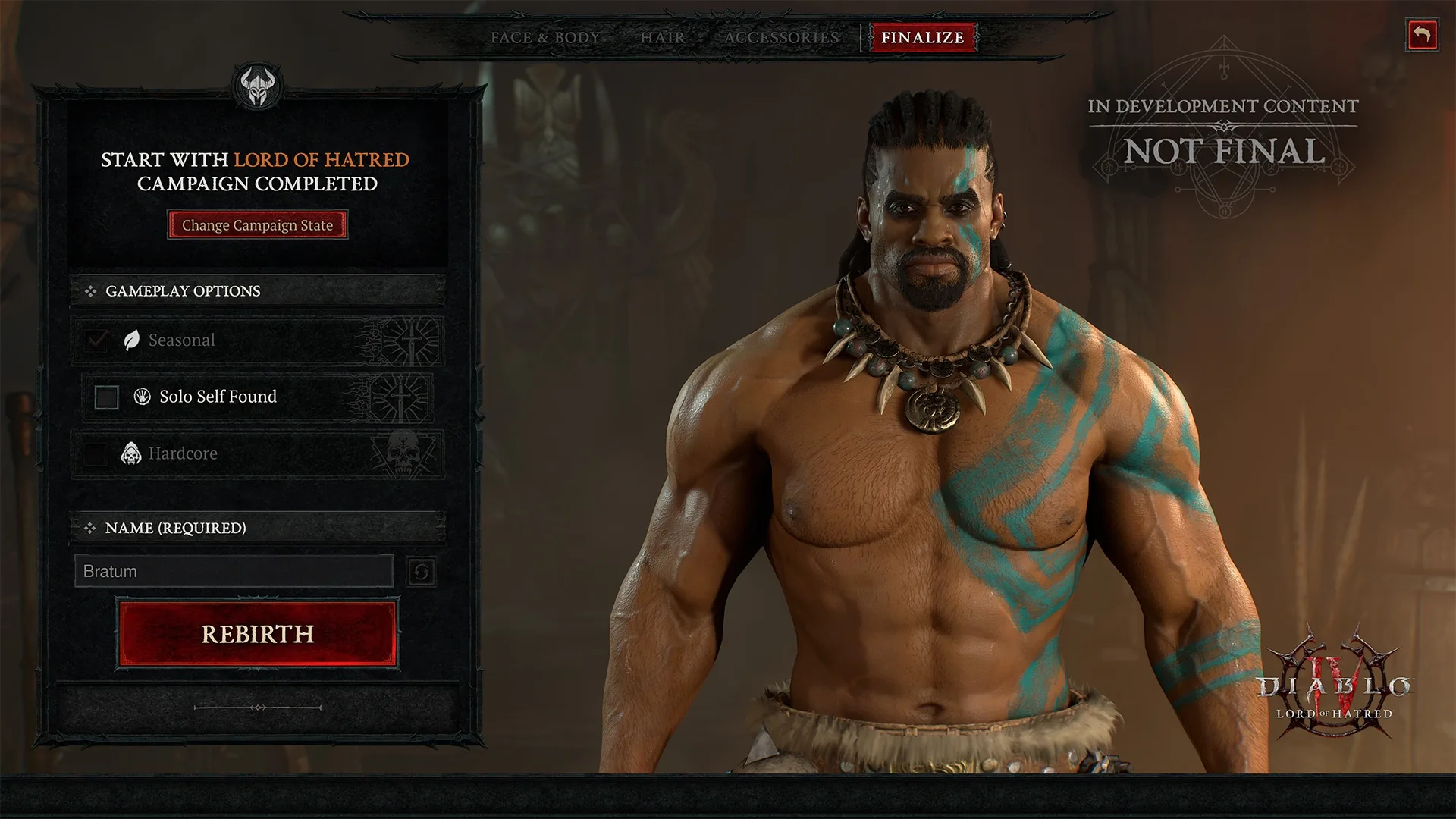
Rebirth lets you bring an existing Eternal Realm character into the current Diablo 4 season. The character moves to the Seasonal Realm and starts again at Level 1. Class, name, appearance, mode and your saved cosmetic selections carry over. The feature has been available since Season 15 launched on September 15, 2026.
Rebirth is not a progress transfer: you don't take your level, build or gear with you. You use the same character identity for a fresh seasonal start.
Diablo 4 Rebirth in a Nutshell
A character on the Eternal Realm doesn't take part in the current season. With Rebirth, you move it to the Seasonal Realm, where it starts seasonal progress at Level 1. What carries over is mainly the character's identity:
- the same class
- the same name
- the same appearance
- the same Normal or Hardcore mode
- your saved cosmetic selections
- the total playtime counter, which keeps running
What Carries Over with Rebirth?
- Class: A Barbarian stays a Barbarian. Rebirth is not a class change.
- Character name: You keep your name.
- Appearance: Your chosen look stays the same.
- Normal or Hardcore: Your current mode is kept.
- Transmogs and dyes: Anything saved in an outfit carries over.
- Mounts and mount armor: Your cosmetic selection is kept.
- Companions: Your selected companion is part of the cosmetic selections that carry over.
- Portals: Your chosen portal style is kept.
- Tombstones: Hardcore characters keep their selection.
- Total playtime: Hours played keep adding up across every Rebirth of the same character.
What Gets Reset?
- Character level: Your character starts again at Level 1.
- Build: You don't keep a ready-to-play endgame build; you level up again.
- Equipped items: You have to unequip them before Rebirth, otherwise they are destroyed via the warning prompt.
- Personal inventory: Must be completely empty.
- Items in the Eternal stash: Stay safe on the Eternal Realm but don't come along into the season.
- Seasonal progress: Rebirth gives you no head start on seasonal progress.
Before Rebirth: Secure Your Gear
Go through this checklist before you confirm:
- Unequip all items.
- Move your gear to your Eternal stash.
- Empty your entire personal inventory.
- Double-check that you really don't want to destroy anything.
- Read the warning prompt in full before confirming.
Rebirth Step by Step
- Secure your gear and inventory in the Eternal stash as described above.
- Select your Eternal Realm character in the character selection.
- Check that the class and mode (Normal or Hardcore) fit your plan for the season.
- Start Rebirth. A window reminds you that gear and inventory won't carry over.
- Confirm Rebirth once the character is empty.
- The character moves to the Seasonal Realm and starts at Level 1.

Rebirth or a New Character?
Both paths lead to a seasonal character at Level 1. Rebirth gives you no level, gear or progression advantage.
| Rebirth | New character | |
|---|---|---|
| Name and appearance | kept | chosen again |
| Class | stays the same | free choice |
| Normal or Hardcore | stays the same | chosen at creation |
| Cosmetics | carried over | chosen again |
| Playtime | keeps counting | starts at zero |
Rebirth is worth it if you're attached to a specific character and don't want to rebuild it every season. If you want to play another class, change your look or deliberately start completely fresh, regular character creation is the better choice.
Rebirth with Hardcore Characters
Your mode carries over with Rebirth. A Normal character stays Normal, a Hardcore character stays Hardcore. You can't use Rebirth to switch between modes.
Comments
Login to comment.